Guides
Stargazing apps for kids, used properly
The free thing that helps most, and the way almost everybody ruins it.
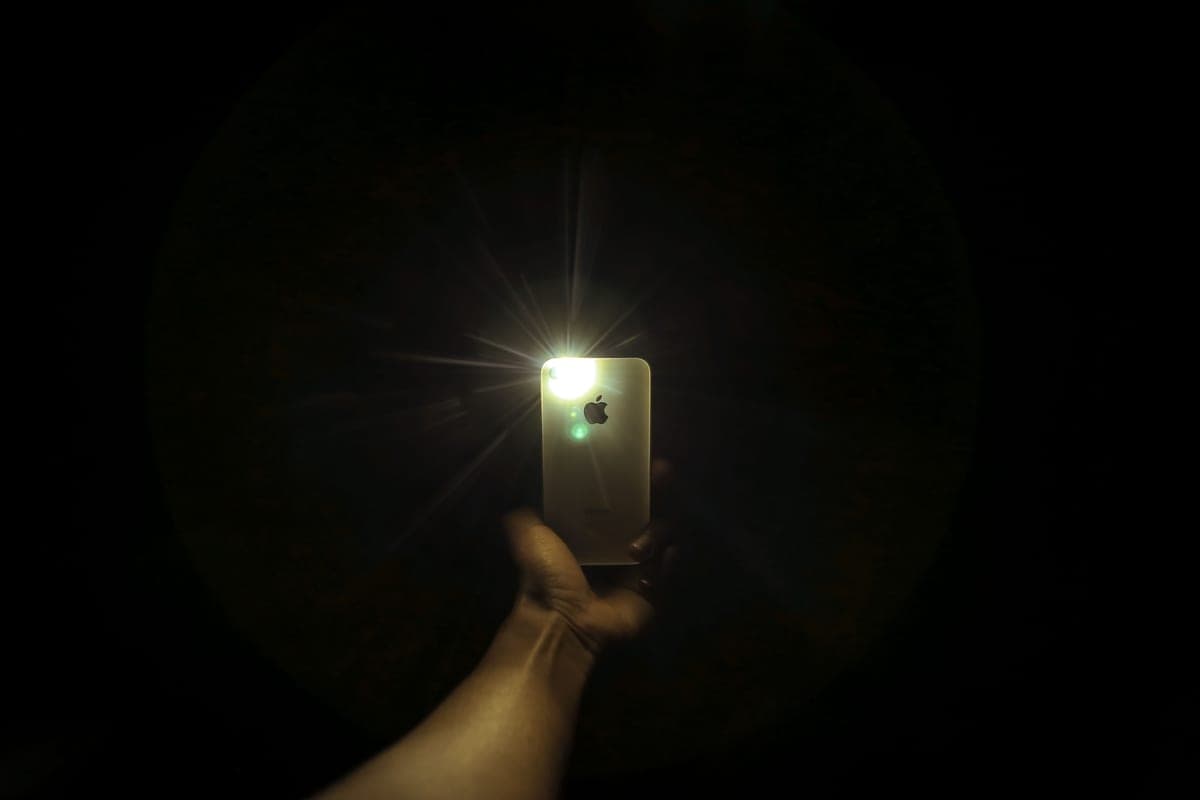
By Scooter M. · published September 6, 2026
I'm not an astronomer and I don't have a lab. I'm someone who's genuinely into this — I read the manuals, compile the published specs, and do the arithmetic the box doesn't do for you. No lab coat. How we pick.
How this is funded. Lens & Lightyear earns a commission when you buy through a link on this page, at no extra cost to you. It does not change which products we pick or what we say about them — every card below carries a real reason to skip it. Prices are pulled live and were last verified October 21, 2026. Full disclosure.
The short answer
Use a free planetarium app indoors to decide what to look at, then put the phone in a pocket and go outside. Used that way it closes the biggest skill gap in stargazing for nothing. Used with the screen on in the garden, it destroys the dark adaptation everything else depends on.
We recommend an app on almost every page of this site without ever explaining how to use one, which is a gap worth closing. A phone is the single most useful free thing a family without astronomy experience can bring outside, and it is also the fastest way to ruin an evening.
What an app is genuinely good at
Point a phone at the sky and it names what is in that direction. For a parent who cannot find a single constellation, that is transformative and it costs nothing.
- Answering "is that a planet?" — the question every child asks on the first clear night, and the one adults are least equipped to answer.
- Telling you what is up tonight. Jupiter and Saturn are not always in the sky. Knowing before you go out saves a wasted session hunting for something below the horizon.
- Finding the Moon's phase in advance. A half Moon shows far more crater detail than a full one, so picking the night matters more than most people realize.
- Teaching constellation shapes indoors, where nobody is cold and nothing is being ruined by the screen.
What an app cannot do
Two limits worth knowing before you rely on one, because both surprise people outdoors.
- It does not point the telescope. Knowing Saturn is over there, roughly, and getting it inside a field of view the width of a pencil at arm's length are completely different problems. This is exactly the gap a phone-guided telescope fills, and it is the whole argument for paying for one.
- It cannot make faint things visible. An app will happily route a child to a galaxy their 70mm telescope cannot show. That is not the app being wrong — it is a mismatch between what is cataloged and what an aperture can deliver, which we set out on what you can actually see.
The dark adaptation problem, and the fix
This is the part nobody mentions and it is the reason a lot of app-assisted nights go badly.
Human eyes take about twenty minutes to reach most of their dark adaptation and closer to forty for all of it. A phone screen at normal brightness resets that in a second. So the sequence most families follow — go outside, hold up the phone, look at the sky, hold up the phone again — means nobody in the garden ever becomes properly dark-adapted, and the faint half of what the equipment could show is never seen.
| Habit | Effect on the evening |
|---|---|
| Screen at full brightness, held up repeatedly | Nobody dark-adapts. Faint targets stay invisible all night. |
| Screen dimmed to minimum | Much better, and still costs you some adaptation each time |
| App's own night mode (red display) | Good. Red preserves adaptation far better than white |
| Plan indoors, phone stays in a pocket outside | Best. Full adaptation, and the app still did its job |
| Red torch for charts, phone left inside | Best, plus you can still read things |
Quick picks
The two purchases that make an app work
| # | Product | Best for | Price |
|---|---|---|---|
| 1 | 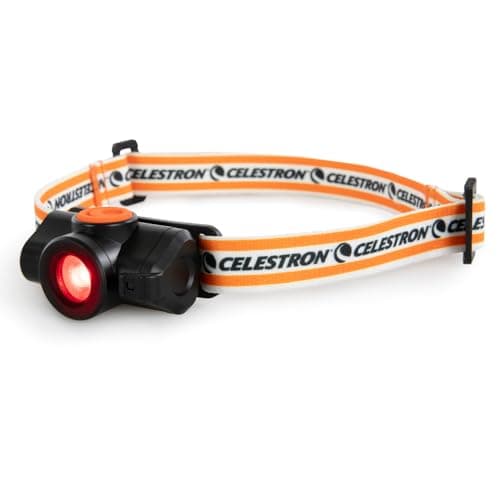 Celestron Night Vision Red Headlamp Variable red light — the thing that lets you use a phone outside without losing your night vision. | Undoing the damage the phone does | |
| 2 | No image Celestron StarSense Explorer LT 70AZ A phone dock that photographs the sky and steers you onto the target with on-screen arrows. | When you would rather the app pointed the telescope |
Rows link to the full write-up further down this page. Prices come from the live price layer only; where there is no live figure the button reads “Check price” rather than showing a number we remembered.
How to choose an app, without us naming one
We are not going to rank specific apps, and it is worth saying why rather than quietly omitting them: app stores change, free tiers are withdrawn, and a list written today would be misleading within a year. We only publish things we can keep verifiable.
What does not change is what to look for. Any app worth using has these four:
- A genuine free tier that does the basics. Naming what the phone is pointed at should not be behind a subscription. Plenty of good apps manage this.
- A night mode that turns the interface red. This is the single most important feature for actual outdoor use and a surprising number of apps lack it.
- A visible-tonight list — what is above the horizon, when it rises, when it is highest. This is what turns the app into a planning tool.
- Moon phase and rise times. Because choosing the night is half of a good session.
Ignore augmented-reality flourishes, constellation artwork and social features when judging one. They are pleasant and they are not why you brought a phone outside.
A routine that works with a child
- Indoors, before dark: open the app, look at what is visible tonight, and pick two targets. Two. A list of ten guarantees a session that ends in frustration.
- Let the child choose one of them. Ownership of the decision is most of the enthusiasm.
- Check the Moon phase while you are there. If it is a half Moon, make the Moon one of your two.
- Go outside 30 minutes before you plan to look. Optics need to reach air temperature and eyes need to adapt — the same half hour covers both.
- Phone in a pocket, red torch out. If you must check the app, dim it fully and use night mode.
- Find the target with the finder, not the phone. The child learning to star-hop from a bright star to a fainter one is the skill that outlasts any app.
- Stop while they still want more, and write one line down: date, target, what you saw.
The full night-one sequence is on your first night with a telescope, and if nothing is visible in the eyepiece, why can't I see anything has the ranked causes.
When to pay for the app to be built in
A phone-guided telescope is a different product from a phone plus a telescope. It photographs the actual sky through a mirror, matches it to a database, and tells you which way to push — so it knows where the telescope is pointed, which a standalone app cannot.
| Your household | What to do |
|---|---|
| An adult can already find Jupiter and Orion | A free app plus an ordinary telescope. You are not the customer for guided finding. See the AstroMaster LT 70AZ. |
| Nobody can find anything, and the budget stretches | Pay for the guided telescope. Finding the target is where most first nights fail, and this removes it. |
| Nobody can find anything, budget is tight | Free app plus binoculars. A 6.6 degree field is forgiving enough that rough aiming works. See binoculars for stargazing. |
| The available phone is old | Free app only. Guided telescopes require Android 12+ or iOS 18+ on an iPhone XR or newer — check the actual phone before buying one. |
Two honest cautions
- A phone outdoors at night is a phone that gets dropped. Cold hands, dark grass, and a child who wants to hold it. A lanyard or a pocket is worth more than any feature.
- Screens compete with the sky. A child given a phone in a garden will look at the phone. That is not a criticism of children, it is what screens do, and it is the strongest practical argument for the plan-indoors approach on this page.
None of which changes the conclusion: for a family with no astronomy background, a free planetarium app used as a planning tool is the highest-value thing you can add to any of the equipment on this site, and it costs nothing.
Questions people actually ask
- What is the best app to see star constellations?
- We do not rank specific apps, because free tiers and store listings change faster than we can keep verified. Look for a genuine free tier, a red night mode, a visible-tonight list, and Moon phase times — any app with those four does the job.
- Do stargazing apps ruin your night vision?
- A phone screen at normal brightness resets dark adaptation in about a second, and it takes twenty minutes or more to rebuild. Use the app indoors to plan, then keep the phone in a pocket and use a red torch outside.
- Can a stargazing app point my telescope for me?
- A standalone app cannot — it does not know where your telescope is aimed. A phone-guided telescope like the StarSense Explorer does, because it photographs the sky through a mirror and matches it to a database.
- Are free stargazing apps good enough for kids?
- Yes. The free tier of any decent planetarium app names what the phone is pointed at and lists what is visible tonight, which is everything a family needs. Paid tiers mostly add depth a beginner telescope cannot reach anyway.
- What phone do you need for a StarSense Explorer telescope?
- Celestron publishes the same requirement across the range: Android 12 or later, or iOS 18 and newer on an iPhone XR or newer. Check the phone that will actually be used in the garden before buying one.
Sources
Read next
Where to go from here
- The stargazing night kit
A red torch does more for what a child sees than doubling the aperture. The full kit, in order of how much it changes.
- Your first night with a telescope
Do these eight things in this order and night one works. Most first nights fail on sequence, not on equipment.
- Which Celestron StarSense Explorer is best for a kid?
LT 70AZ, DX 102AZ or the 114mm tabletop Dobsonian? Compared on published specs, weight, and what the box actually gives you against what it could.
- Why can't I see anything through my telescope?
The ranked causes of a telescope that shows nothing, most common first, each with a fix you can do tonight without tools.
- What you can actually see with a kids' telescope
The honest target-by-target list for 70mm, 76mm and 114mm telescopes, so nobody is disappointed on night one.
- Celestron AstroMaster LT 70AZ review
Optically the same telescope as our phone-guided pick, without the app and on steel legs. When that is the smarter buy, and when it is not.