Star Projectors
Smart star projectors: what the app actually adds
Wi-Fi, voice control and scene modes. None of it makes the stars real.
By Scooter M. · published September 1, 2026
I'm not an astronomer and I don't have a lab. I'm someone who's genuinely into this — I read the manuals, compile the published specs, and do the arithmetic the box doesn't do for you. No lab coat. How we pick.
How this is funded. Lens & Lightyear earns a commission when you buy through a link on this page, at no extra cost to you. It does not change which products we pick or what we say about them — every card below carries a real reason to skip it. Prices are pulled live and were last verified October 18, 2026. Full disclosure.
The short answer
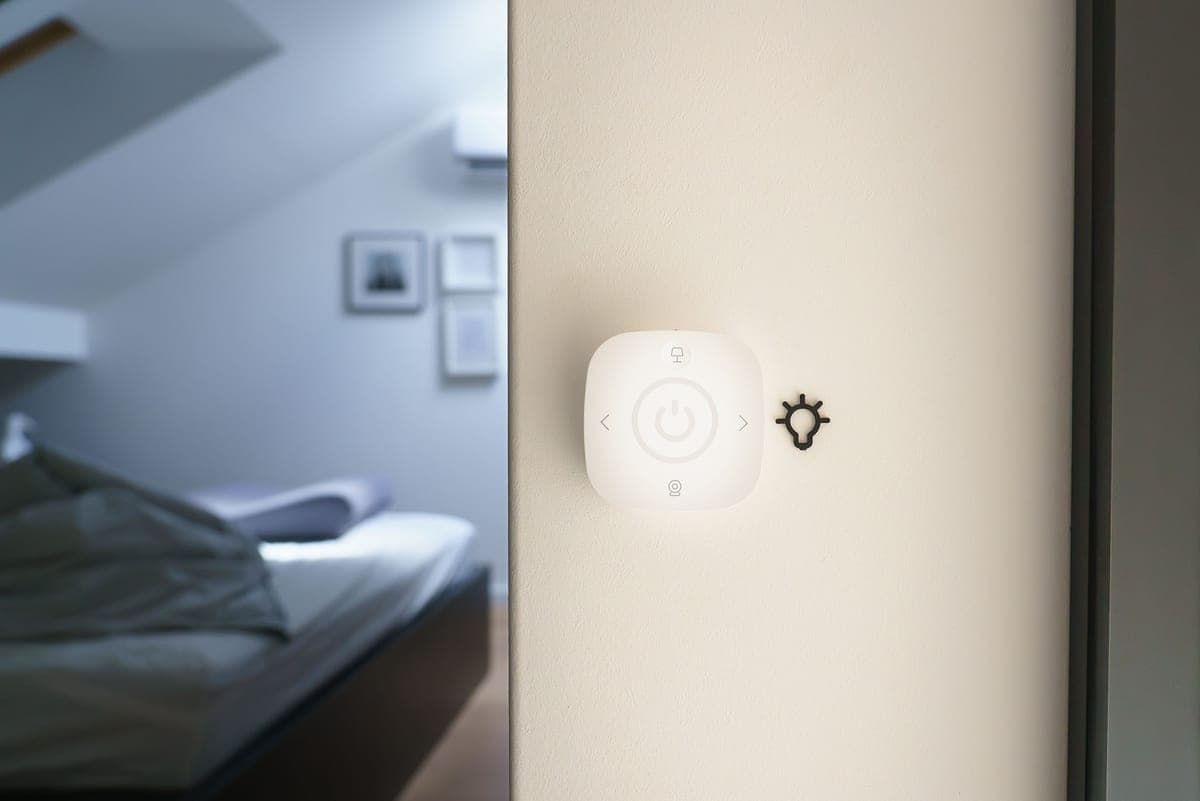
Smart features buy convenience, not accuracy. App control, voice assistants and scene modes make a decorative projector easier to live with, and they do nothing whatsoever to make its stars correspond to the real sky. Decide which half of the category you want first, then decide about the app.
What smart features genuinely add
Being fair to them: some of this is properly useful in a household with children, and it is worth separating that from the marketing.
- Turning it off without opening the door. The single most useful smart feature in a child's bedroom, and the reason many parents end up preferring app-controlled units.
- Scheduled routines. On at bedtime, off an hour later, without anyone remembering. A plain sleep timer achieves most of this for free.
- Brightness adjustment from across the room. Genuinely handy while a child is settling.
- Voice control. Useful when your hands are full, novelty otherwise. Children find it delightful for about a week.
- Scene modes. A count of preset color combinations. Fun; not a specification.
What they do not add
| Smart feature | Does it improve the astronomy? |
|---|---|
| Wi-Fi and app control | No. It is a remote control. |
| Alexa and Google Assistant | No. Another remote control. |
| 38 or 52 scene modes | No. Color presets on a decorative pattern. |
| Built-in speaker and white noise | No. It is a small speaker. |
| 4MP HD lens | Improves sharpness of the pattern. The pattern is still not a sky. |
| 230 lux brightness | Improves visibility on a lit ceiling. Still not a sky. |
None of this is criticism of the products. It is criticism of buying one expecting astronomy — see accurate versus decorative.
Quick picks
Smart projectors, and the accurate alternative
| # | Product | Best for | Price |
|---|---|---|---|
| 1 | 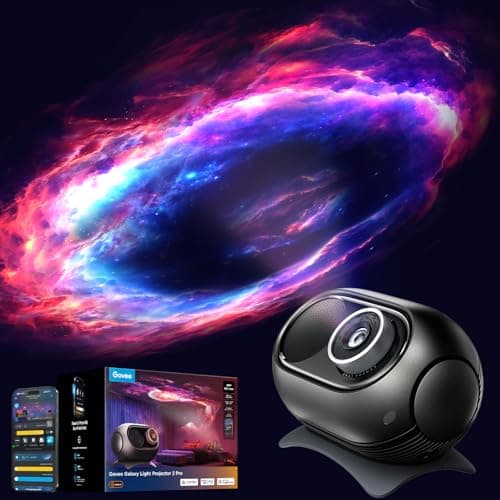 Govee Galaxy Light Projector 2 Pro 230 lux across a 90 degree throw, through a 4MP HD lens. | The brightest smart projector here | |
| 2 | 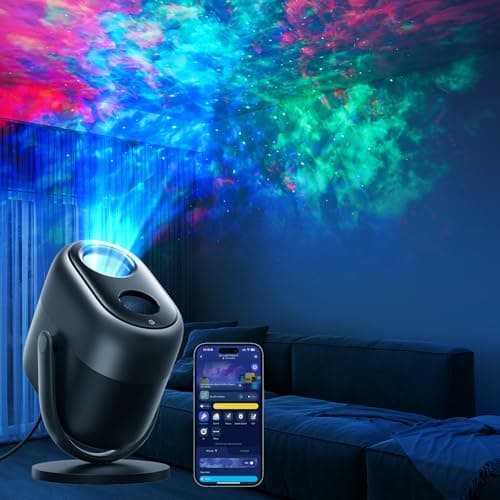 Govee Star Light Projector with Nebula Effect 25 dB and 540 sq ft coverage — the noise figure is the one that matters. | Quiet, and the better buy for a bedroom | |
| 3 | 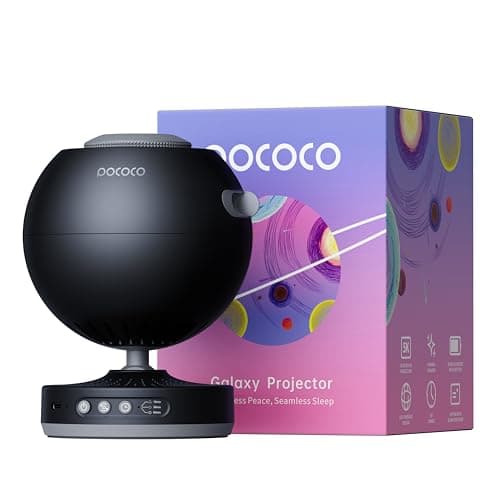 Pococo Galaxy Projector No app, no Wi-Fi, no account. A focus wheel and a switch. | Deliberately not smart, and better for it | $104.99 on Amazon #ad How we’re funded · price as of October 18, 2026 |
Rows link to the full write-up further down this page. Prices come from the live price layer only; where there is no live figure the button reads “Check price” rather than showing a number we remembered.
The two specifications actually worth comparing
If you are shopping in this half of the category, ignore the mode count and the assistant list and compare two numbers.
- Noise, in decibels. In a silent bedroom this dominates everything else. Under about 30 dB is genuinely quiet. Most listings do not state it, and that omission is informative.
- Coverage area, in square feet or square meters. Tells you whether it fills a ceiling or throws a patch onto part of one. 500 sq ft and up covers an ordinary bedroom comfortably.
Brightness in lux is a distant third — useful for a room that is not fully dark, irrelevant in a blacked-out bedroom, and the specification most likely to be quoted precisely because it sounds impressive.
The privacy question, briefly
A Wi-Fi device in a child's bedroom means an account, a cloud service and a device on your home network. That is an entirely ordinary trade in 2026 and plenty of households make it without a second thought.
It is worth a moment's thought all the same, particularly for a very young child's room. The non-smart alternative on this page does everything a projector needs to do — brightness, rotation, timer, focus — with a switch and a wheel, and it is the one with real stars. That is not a coincidence: the accurate half of the category competes on optics, so it does not need features.
The picks in full
Pick 1
Govee Galaxy Light Projector 2 Pro
The brightest smart projector here
The arithmetic
This is a lighting product, not an astronomy one, and judging it as an astronomy one is the mistake most gift buyers make. 230 lux across a 90 degree throw is genuinely bright and genuinely impressive on a ceiling; none of the star positions mean anything. Buy it for the room, not for the sky.
Judged as what it is — a room lighting product — this is genuinely impressive, and the published numbers back that up rather than being vague.
230 lux of brightness through a 90 degree wide projection, with an Ultra 4MP HD lens. Those are real, checkable figures, which on this shelf is uncommon.
Control is through the Govee Home app over Wi-Fi and Bluetooth, with Alexa and Google Assistant support and in-app timer, wake-up and sleep routines. For a parent, being able to turn a child's room light off from the doorway without opening the door is a genuine daily convenience.
None of it makes the stars real. They are placed for effect, so this teaches a child nothing about where anything actually is. Buy it for the room.
Full review of the Galaxy 2 Pro, with every published specification against the cheaper Govee.
Skip it if
You want astronomy. This is a lighting product and judging it as an astronomy one is the mistake most gift buyers make. The stars are decorative and correspond to nothing in the real sky.
| Model | H609D |
|---|---|
| Lens | Ultra 4MP HD lens |
| Projection angle | 90 degrees wide |
| Projection area | Up to 301 square feet |
| Brightness | 230 lux |
| Film discs | 8 included |
| Scene modes | 20+ presets, 3,200+ scene combinations |
| Starlight motion modes | 2 |
| White noise options | 21 |
| Control | Govee Home app over Wi-Fi and Bluetooth, Matter |
| Voice | Alexa and Google Assistant |
| Scheduling | Timer, wake-up and sleep routines in-app |
| Power | 15 W, 5 V input |
| Dimensions | 9.37 x 6.41 x 5.82" |
| What the box does not do | The stars are decorative — they do not correspond to real constellations, so it teaches nothing about the actual night sky. Wi-Fi setup needs a parent's phone and an account. Not a substitute for a telescope or a real planetarium, and we would not pair it with a stargazing gift and call the job done. |
Specifications from Govee — Galaxy Light Projector 2 Pro. We have not handled this one — everything above is the published spec sheet plus our own arithmetic on it.
Pick 2
Govee Star Light Projector with Nebula Effect
Quiet, and the better buy for a bedroom
The arithmetic
25 dB is the specification that matters in a child's bedroom and the one nobody checks — roughly the level of a quiet library, which is quiet enough to fall asleep next to. 540 sq ft of coverage will fill an ordinary bedroom ceiling with room to spare, and is in fact 79 percent more area than the far more expensive Galaxy 2 Pro covers.
The cheaper Govee, and for a child's bedroom specifically we would take it over the brighter one.
25 dB is roughly library quiet. That is the difference between a projector that runs while a child falls asleep and one that gets switched off at bedtime, and almost nobody in this category publishes the figure at all.
540 square feet of coverage is plenty for an ordinary bedroom ceiling, and the 7-zone nebula rendering gives the layered depth that is most of the appeal.
Same caveat as everything in this half of the category: decorative, not astronomical. The pattern on night two hundred is the pattern from night one.
Skip it if
You want maximum visual impact. It is dimmer and less configurable than the Pro above, and if the point is a spectacular ceiling rather than a sleeping child, the brighter unit wins.
| Model | H6095 |
|---|---|
| Nebula rendering | 7 independent light zones, 7 RGBW lamp beads with 7 independent IC chips |
| Coverage area | 540 square feet |
| Noise level | Less than 25 dB |
| Scene modes | 50+ |
| White noise options | 18 |
| Control | Function button, Govee Home app, voice, Matter |
| Connectivity | 2.4GHz Wi-Fi and Bluetooth |
| Voice assistants | Alexa and Google Assistant |
| Power | 10 W; 5 V DC 3 A input, 100-240 V adapter |
| Dimensions | 5.51 x 6.18 x 8.94" |
| Weight | 1.6 kg |
| What the box does not do | Decorative only: the star field is a pattern, not a sky. No optical discs, so what you see on night one is what you see on night two hundred. Needs the app for most of its features. |
Specifications from Govee — Star Light Projector with Nebula Effect. We have not handled this one — everything above is the published spec sheet plus our own arithmetic on it.
Pick 3
Pococo Galaxy Projector
Deliberately not smart, and better for it
The arithmetic
A middle path between an accurate planetarium and a decorative light. The disc system means you can run a real star field one night and a nebula the next, and the focus wheel is large enough for a child to work themselves — which matters more than it sounds, because a projector nobody can focus gets switched off. No speaker and no app is a feature in a bedroom, not a gap.
Worth putting on this page as the counter-argument, because in a child's bedroom the absence of an app is arguably a feature.
No Wi-Fi, no account, no phone required. A large focus wheel, on-body rotation control, a sleep timer, and a 60 degree tilt on a fixed stand. USB-C with an internal battery at about 1.5 W.
It is also the only one on this page that shows real stars: around 40,326 on the star disc, through a 2 megapixel lens with 5K discs, across roughly 12 square meters.
The trade is that the disc library is an ongoing cost — two are included and the rest are sold separately. Whether that is worse than a Wi-Fi account and an app is a genuine matter of taste.
Skip it if
You want to control it from another room. Everything here is done on the unit itself, which means walking into a sleeping child's bedroom to turn it off — unless you use the sleep timer, which is the answer.
| Projection type | Optical disc projection, LED (no laser) |
|---|---|
| Disc resolution | 5K discs through a 2 megapixel lens |
| Stars projected | Around 40,326 on the star disc |
| Projection area | Approximately 12 square meters |
| Dimensions | 157 x 120 x 120 mm |
| Weight | 1.63 lb |
| Power | 5 V USB-C, internal battery, about 1.5 W |
| Controls | Focus wheel, on-body rotation, sleep timer, 60 degree tilt |
| Discs | Two included; further sets sold separately |
| What the box does not do | No speaker, no app control, no aurora effects. Extra discs are an ongoing cost. The battery is convenient but it is one more thing to charge. |
Specifications from Space.com — Pococo Galaxy star projector review; Live Science — Pococo Galaxy star projector review. We have not handled this one — everything above is the published spec sheet plus our own arithmetic on it.
#ad How we’re funded · price as of October 18, 2026
Questions people actually ask
- Are smart star projectors worth it?
- The app control is genuinely convenient in a child's room — turning it off without opening the door is worth more than it sounds. What it does not do is make the stars accurate. Decide which half of the category you want first.
- Is the Govee star projector good?
- As a decorative bedroom light, yes, and Govee publishes real figures — 230 lux and a 90 degree throw on the brighter unit, 25 dB and 540 sq ft on the quieter one. As astronomy, no: the stars are placed for effect.
- Do Govee projectors show real constellations?
- No. They are decorative lighting products. For real star positions you need an optical planetarium with an etched disc — see accurate versus decorative.
- What is the best smart star projector for a kid's room?
- The quietest one you can find with a published decibel figure and a timer. Noise matters far more in a bedroom than brightness or the number of scene modes.
Sources
Read next
Where to go from here
- The best galaxy projector
What actually separates a good galaxy projector from a cheap one — coverage, layering and control — plus the honest line about what none of them teach.
- Accurate or decorative? The star projector split nobody explains
The single distinction that decides whether a star projector supports a child's interest in astronomy or is simply a very nice bedroom light.
- The best star projector under $50
The sub-$50 shelf is where most of this category lives and where the specifications get least reliable. What to check and what to ignore.
- The best star projector for a toddler's room
For a very young child the useful specifications are noise level, dimming and cable placement. Star count barely matters. What to actually look for.
- Sega Toys Homestar Flux: the serious one
The flagship optical planetarium. What over 60,000 cataloged stars looks like on a ceiling, and why some children find it disappointing.
- Space gifts for kids under $50
Under $50 you can buy genuinely good optics — just not a telescope. What the money actually buys, and the allocation we would make ourselves.
- Gifts for the kid who is obsessed with space
The one question that decides which space gift lands, and four picks split across the answer.
- Govee Star Light Projector with Nebula Effect review
Under 25 dB, 540 sq ft of ceiling and seven independently controlled nebula zones. The best decorative bedroom projector we recommend — and honestly not an astronomy instrument.